

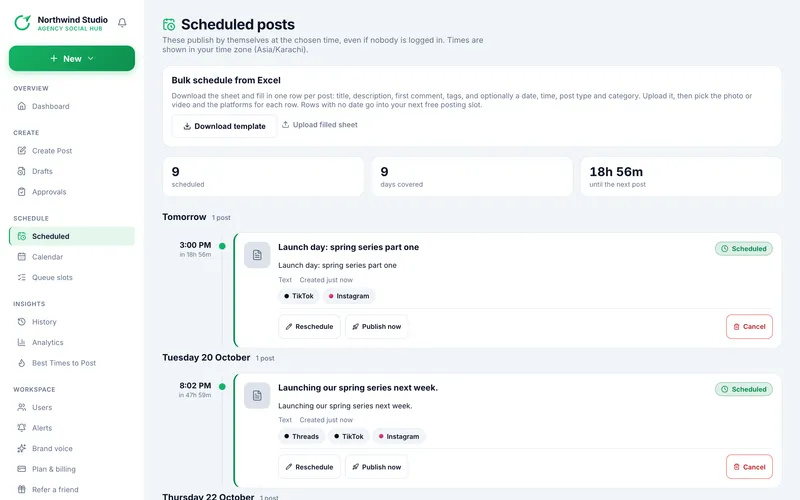
Scheduled lists what will publish, grouped by day in your time zone. A summary shows how many posts are scheduled, how many days they cover, and the time until the next one.
Each card shows the time and a countdown, the post type, the caption, any category from a bulk sheet, when it was created and the platforms. Show more reveals the YouTube title, the description and the first comment. At the top is the Bulk schedule from Excel panel (see Bulk upload).
The three buttons on a card are explained in Reschedule, publish now or cancel.
Scheduled posts are also on the History timeline, placed at the time they will go out. A draft or a post waiting for review is not scheduled and does not appear here.
Read next
- Reschedule, publish now or cancel a scheduled post Change the time, send it out early, or remove it, and what happens to its media.
- Use the calendar See scheduled, published and failed posts by month or week, click open slots, and drag a post to a new time.
- History: the timeline of every post Read the list, filter and search it, and understand what each card shows.
